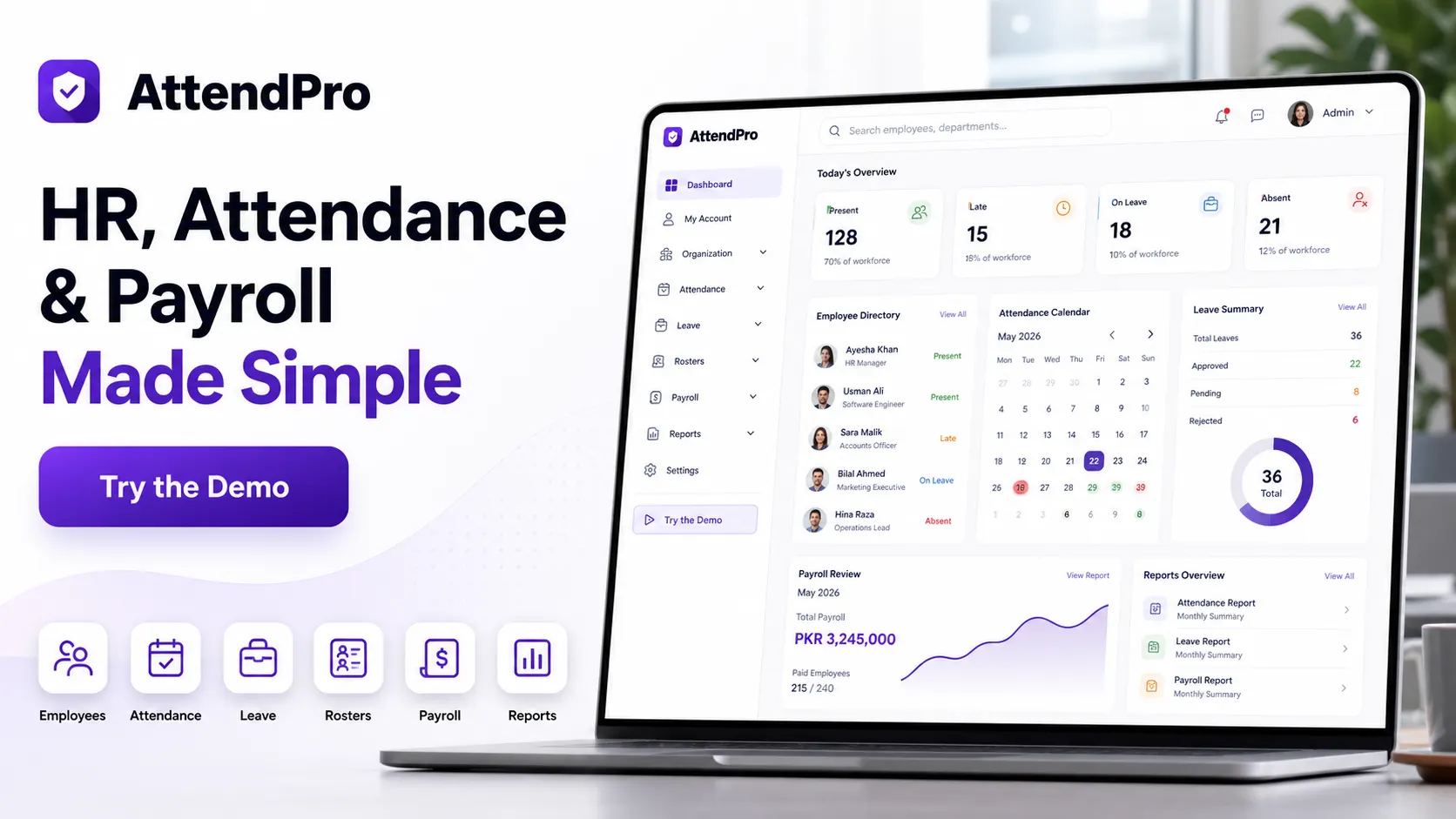
Basic CRM tools
RevenuePilot adds quotations, invoices, payments, receivables, delivery, support handoff, portal, API, and webhooks after the pipeline.
Lead capture, deal pipeline, quotations, invoices, payments, client portal, delivery, support, permissions, reports, and system health in one revenue operations CRM.
RevenuePilot helps teams manage the full lead-to-revenue flow from leads and deals to quotations, invoices, payments, delivery, and support.
RevenuePilot is for teams that want the full lead-to-revenue journey in one self-hosted Laravel workspace. It connects leads, contacts, companies, deal pipeline, follow-ups, quotations, contracts, invoices, payments, receivables, delivery, support handoff, client portal, API clients, webhooks, backups, and system health so sales activity does not stop at the deal board.
A basic CRM tracks leads and deals. RevenuePilot connects leads, companies, contacts, follow-ups, quotations, contracts, invoices, payments, receivables, delivery, support handoff, client portal, APIs, webhooks, reports, backups, and system health.
RevenuePilot adds quotations, invoices, payments, receivables, delivery, support handoff, portal, API, and webhooks after the pipeline.
RevenuePilot connects invoices and payments back to leads, contacts, companies, deals, activities, and delivery.
RevenuePilot starts before delivery and keeps revenue, client portal, support, and reporting context attached.
Choose a feature to see why it matters, what to inspect in the demo, and how it supports the buying decision.
Capture, qualify, import, filter, and organize leads before they become deals.
This matters because lead management is part of the working RevenuePilot workflow, not just a label on a sales page. Buyers can see how it connects to ownership, records, follow-up, permissions, and reporting inside the same product.
In the demo, inspect Lead management, Deal pipeline, Saved views. Confirm the screens show real setup, records, status, and operating context instead of a static placeholder.
This is a strong buying signal when your team needs lead management handled in the same Laravel workspace as the rest of RevenuePilot, with less manual reconciliation after the demo.
Company and contact records preserve ownership, hierarchy, portal branding, and linked activity.
This matters because contacts and companies is part of the working RevenuePilot workflow, not just a label on a sales page. Buyers can see how it connects to ownership, records, follow-up, permissions, and reporting inside the same product.
In the demo, inspect Quotations, Invoices, Receivables. Confirm the screens show real setup, records, status, and operating context instead of a static placeholder.
This is a strong buying signal when your team needs contacts and companies handled in the same Laravel workspace as the rest of RevenuePilot, with less manual reconciliation after the demo.
Deals move through stages with activity, notes, saved views, and follow-up context.
This matters because deal pipeline is part of the working RevenuePilot workflow, not just a label on a sales page. Buyers can see how it connects to ownership, records, follow-up, permissions, and reporting inside the same product.
In the demo, inspect Projects, Support tickets, Customer rooms. Confirm the screens show real setup, records, status, and operating context instead of a static placeholder.
This is a strong buying signal when your team needs deal pipeline handled in the same Laravel workspace as the rest of RevenuePilot, with less manual reconciliation after the demo.
Follow-up calendars and activity tracking help sales teams keep momentum.
This matters because follow-ups is part of the working RevenuePilot workflow, not just a label on a sales page. Buyers can see how it connects to ownership, records, follow-up, permissions, and reporting inside the same product.
In the demo, inspect Client portal, API clients, System health. Confirm the screens show real setup, records, status, and operating context instead of a static placeholder.
This is a strong buying signal when your team needs follow-ups handled in the same Laravel workspace as the rest of RevenuePilot, with less manual reconciliation after the demo.
Sales teams can turn opportunity context into quotes and contract records.
This matters because quotations and contracts is part of the working RevenuePilot workflow, not just a label on a sales page. Buyers can see how it connects to ownership, records, follow-up, permissions, and reporting inside the same product.
In the demo, inspect the setup screen, the working records, the permission path, and the report or history view connected to this feature.
This is a strong buying signal when your team needs quotations and contracts handled in the same Laravel workspace as the rest of RevenuePilot, with less manual reconciliation after the demo.
Invoices connect CRM outcomes to billing and revenue operations.
This matters because invoices is part of the working RevenuePilot workflow, not just a label on a sales page. Buyers can see how it connects to ownership, records, follow-up, permissions, and reporting inside the same product.
In the demo, inspect the setup screen, the working records, the permission path, and the report or history view connected to this feature.
This is a strong buying signal when your team needs invoices handled in the same Laravel workspace as the rest of RevenuePilot, with less manual reconciliation after the demo.
Payments, subscriptions, receivables, forecasts, and reports show money movement.
This matters because payments and receivables is part of the working RevenuePilot workflow, not just a label on a sales page. Buyers can see how it connects to ownership, records, follow-up, permissions, and reporting inside the same product.
In the demo, inspect the setup screen, the working records, the permission path, and the report or history view connected to this feature.
This is a strong buying signal when your team needs payments and receivables handled in the same Laravel workspace as the rest of RevenuePilot, with less manual reconciliation after the demo.
Won work can move into projects, tasks, delivery notes, and customer rooms.
This matters because delivery and projects is part of the working RevenuePilot workflow, not just a label on a sales page. Buyers can see how it connects to ownership, records, follow-up, permissions, and reporting inside the same product.
In the demo, inspect the setup screen, the working records, the permission path, and the report or history view connected to this feature.
This is a strong buying signal when your team needs delivery and projects handled in the same Laravel workspace as the rest of RevenuePilot, with less manual reconciliation after the demo.
Customer support tickets and handoff context stay connected to accounts and revenue.
This matters because support handoff is part of the working RevenuePilot workflow, not just a label on a sales page. Buyers can see how it connects to ownership, records, follow-up, permissions, and reporting inside the same product.
In the demo, inspect the setup screen, the working records, the permission path, and the report or history view connected to this feature.
This is a strong buying signal when your team needs support handoff handled in the same Laravel workspace as the rest of RevenuePilot, with less manual reconciliation after the demo.
Portal access, API clients, webhooks, backups, and health checks support integration and operation.
This matters because client portal, api, and webhooks is part of the working RevenuePilot workflow, not just a label on a sales page. Buyers can see how it connects to ownership, records, follow-up, permissions, and reporting inside the same product.
In the demo, inspect the setup screen, the working records, the permission path, and the report or history view connected to this feature.
This is a strong buying signal when your team needs client portal, api, and webhooks handled in the same Laravel workspace as the rest of RevenuePilot, with less manual reconciliation after the demo.
A simple operating path so buyers can understand what happens after installation.
Add leads, companies, contacts, deal stages, saved views, and follow-up rules.
Move opportunities through the pipeline and record activities, notes, imports, and exports.
Create quotations, contracts, invoices, payments, receivables, subscriptions, and forecasts.
Coordinate delivery with projects, tasks, delivery notes, support tickets, and customer rooms.
Review revenue dashboards, portal activity, API/webhook integrations, backups, and system health.
Use these compact checks before moving to the live demo, docs, or pricing tab.
Track leads, companies, contacts, deals, follow-ups, quotations, and contracts.
Connect invoices, payments, receivables, subscriptions, forecasts, and reports to CRM activity.
Move won deals into projects, tasks, support tickets, customer rooms, and portal visibility.
RevenuePilot should be positioned around revenue intelligence, saved views, dashboards, APIs, webhook events, delivery handoff, and automation surfaces. Do not sell it as a conversation-first CRM.
RevenuePilot is a self-hosted Laravel CRM and revenue operations product with account records, portal visibility, API clients, webhooks, role controls, backups, and health checks for long-term operation.
Quick answers for fit, users, workflow, and the buying decision after the main proof sections.
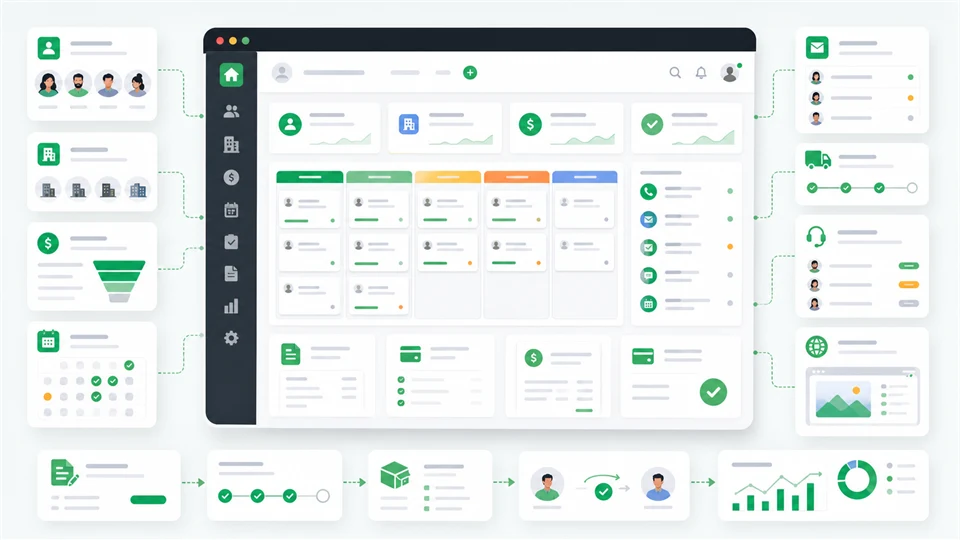
RevenuePilot manages leads, contacts, companies, deals, follow-ups, quotations, contracts, invoices, payments, receivables, subscriptions, delivery work, support tickets, client portal access, API clients, webhooks, and revenue reports.
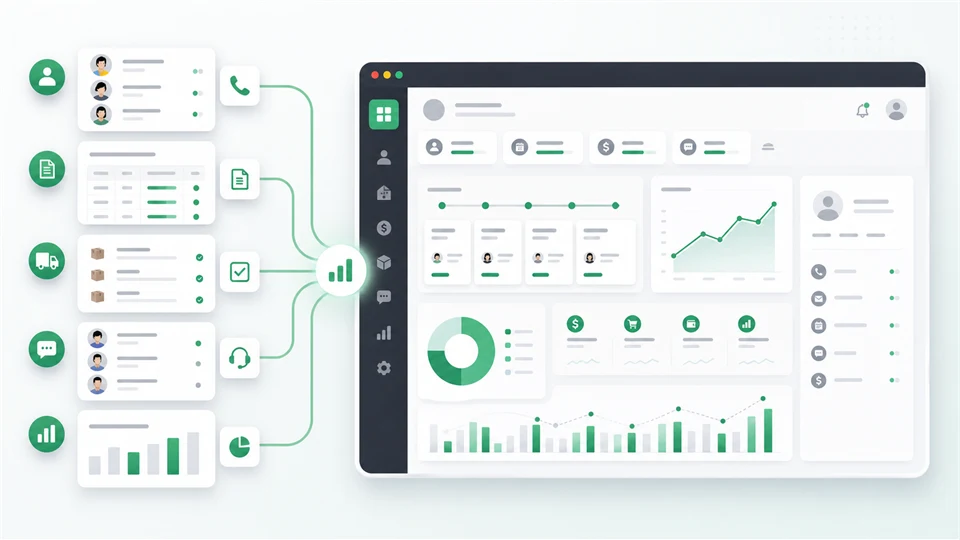
It is for connecting sales activity with quoting, invoicing, payment visibility, delivery, support, client portal work, and revenue reporting instead of leaving those steps in separate tools.
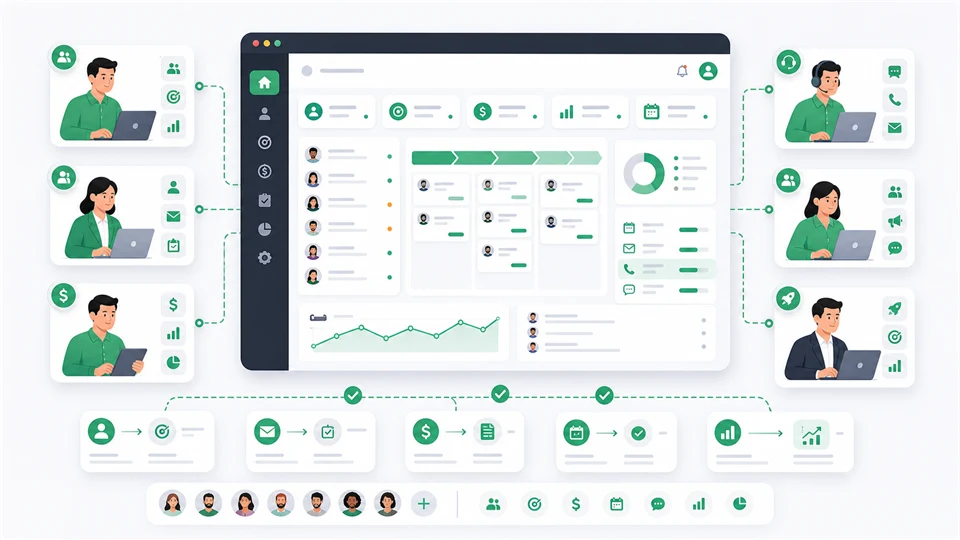
Sales teams, account managers, revenue operations teams, service businesses, agencies, founders, and project or recurring-service sellers can use RevenuePilot.
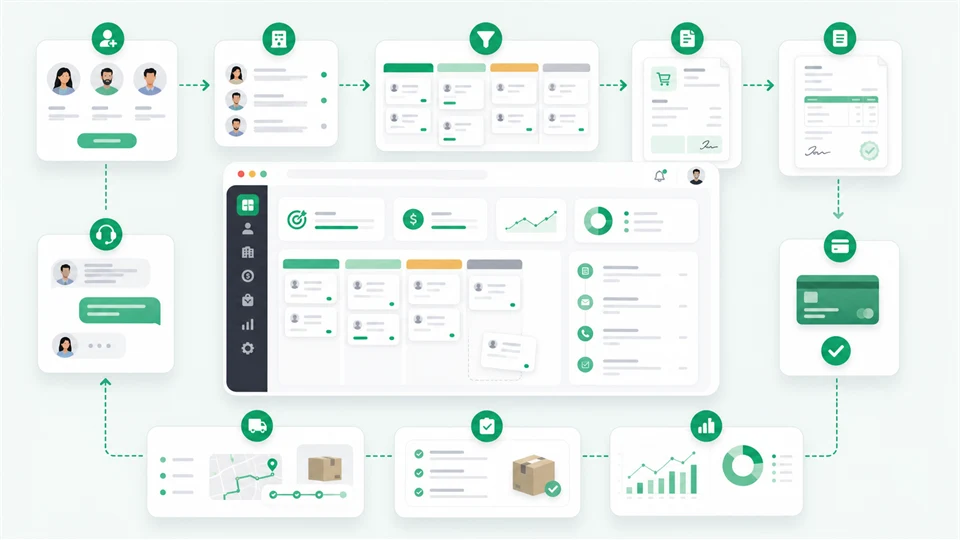
Teams capture leads, manage contacts and companies, move deals through the pipeline, create quotations and invoices, track payments, coordinate delivery and support, and review revenue dashboards.
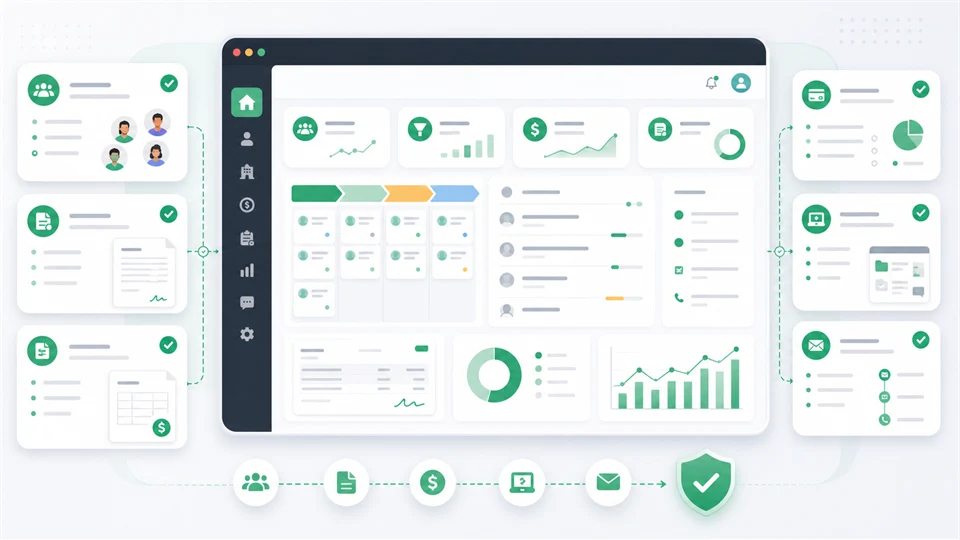
Use it when CRM, quoting, invoicing, payments, receivables, delivery, support handoff, client portal access, API/webhook integration, and revenue visibility should live together.
A documentation-guided view of the real workflow, evaluation checks, launch options, and buyer evidence behind this project.
RevenuePilot is a self-hosted Laravel CRM and revenue operations platform for managing the full lead to deal to quotation to invoice to payment to delivery and support journey in one place.
Executive CRM dashboard with leads, active deals, expected revenue, receivables, follow-ups, and forecast trend.
Daily sales and operations workspace for follow-ups, tasks, active deals, and customer attention.
Lead intake, sources, saved views, assignment, quality checks, bulk actions, imports, and exports.
Pipeline stages from new and qualified through proposal, negotiation, won, or lost.
Before: A buyer needs a clear way to validate the product before committing budget.
With RevenuePilot: Open the demo, inspect screenshots, confirm compatibility, read docs, and compare the license tier.
Result: The team can choose, defer, or request help with less guesswork.
The buyer has a workflow need but does not want to purchase only from a feature list.
They review the story, screenshots, demo roles, docs, changelog, support terms, and comparison rows.
The buying decision becomes a documented test drive instead of a guess.RevenuePilot is a good fit when the required workflow, platform, and support expectations match your launch plan.
PHP 8.2+, database, writable storage/bootstrap cache, queue/scheduler, and mail should be available.
Check whether leads, deals, quotations, invoices, payments, support, and portal boundaries match the business model.
Use the CRM docs page for installation, demo, setup, and production-readiness details.
Map owner, sales, support, demo operator, admin, and client access before importing real data.
Use the RevenuePilot docs portal for install flow, demo account, and verification.
Request help with hosting setup, queues, scheduler, mail, permissions, and launch verification.
Confirm pipeline, invoice, payment, portal, support, and integration expectations before checkout.
Only the demo operator credential is published for buyers.
Documentation points to the active CRM docs page on docs.ovion-tech.xyz.
Card and CRM screenshots are included in the guarded marketplace media workflow.
The demo follows lead, deal, quotation, invoice, payment, delivery, support, and portal handoffs.
Review the key screens, then open any preview at full size.
RevenuePilot is a self-hosted Laravel CRM and revenue operations platform for managing the full lead to deal to quotation to invoice to payment to delivery and support journey in one place.
Executive CRM dashboard with leads, active deals, expected revenue, receivables, follow-ups, and forecast trend.
Daily sales and operations workspace for follow-ups, tasks, active deals, and customer attention.
Lead intake, sources, saved views, assignment, quality checks, bulk actions, imports, and exports.
Pipeline stages from new and qualified through proposal, negotiation, won, or lost.
Invoice status, open receivables, payments, revenue trail, and collection follow-up context.
Customer rooms, files, tickets, invoices, and delivery visibility with permission boundaries.
Installer, queue, scheduler, mail, backup, API, webhook, and live system readiness checks.
Product screen used for marketplace evaluation.
Product screen used for marketplace evaluation.
Product screen used for marketplace evaluation.
Product screen used for marketplace evaluation.
Product screen used for marketplace evaluation.
Product screen used for marketplace evaluation.
Product screen used for marketplace evaluation.
RevenuePilot is priced as a lead-to-revenue operations suite because it connects CRM records, pipeline, follow-ups, quotations, contracts, invoices, payments, receivables, delivery, support handoff, client portal, APIs, and webhooks.
One sales or service team running CRM through billing and delivery.
Covers one live RevenuePilot install with leads, pipeline, quotes, contracts, invoices, payments, delivery, support, portal, APIs, and reports. USD 169 Recommended Business 2 Apps License 2 live apps / 6 staging/dev appsTwo business units, two service brands, or an agency/client CRM rollout.
Adds a second live revenue operations deployment for separate teams, client handoff, or staged expansion. USD 279 License tier Agency Unlimited License Unlimited live apps / Unlimited staging/dev appsAgencies deploying CRM and revenue operations systems for repeated clients.
Built for repeat lead-to-revenue implementations where CRM, invoices, payments, delivery, portal, APIs, and reports recur. USD 549Review the main operating areas a buyer should understand before opening the demo or choosing a license.
Capture leads, manage companies and contacts, track deals, follow-ups, notes, saved views, imports, and data quality.
Connect sales activity to quotations, contracts, invoices, payments, receivables, subscriptions, and forecasts.
Move won deals into delivery notes, projects, task boards, support tickets, customer rooms, and customer success workflows.
Give customers a permission-aware portal for rooms, files, tickets, invoices, and delivery-related work.
Control users, roles, permissions, settings, API clients, webhooks, backup tools, demo mode, and live system health.
Run a role-safe demo with public credentials, screenshots, docs, proof reporting, and readiness checks.
Open the hosted demo, use shared credentials when provided, and review the documentation for setup details.
Digital purchases are reviewed case by case when the product is not as described or cannot be accessed.
6 months of setup and product support are included with this license.
Manual code review and compatibility checks are tracked before products are promoted.
Initial RevenuePilot marketplace release with lead-to-revenue workflow, quotations, invoices, payments, client portal, support, reports, system health, role-safe demo credentials, docs, and CRM screenshots.
Iniciar sesión with a buyer account to leave a verified purchase review.