Simple clinic schedulers
Operix includes signup, clinic switching, patients, pharmacy, billing, communications, health checks, and readiness beyond appointment booking.
Public plans, clinic launch, tenant dashboards, care operations, pharmacy, billing, communications, and readiness checks in one clinic SaaS platform.
Operix helps clinics manage plans, signup, appointments, patients, pharmacy, billing, communications, and daily clinic operations.
Operix is a clinic operations platform for buyers who need more than a healthcare calendar. It connects public clinic plans, owner signup, clinic switching, tenant dashboards, appointments, patient records, pharmacy, billing, communications, platform health, and launch readiness so clinics can evaluate, onboard, and run daily operations from one Laravel SaaS workspace.
Operix starts with public clinic plans and self-serve signup, then carries the clinic into tenant dashboards, clinic switching, appointments, patients, pharmacy, billing, communications, platform health, and readiness checks.
Operix includes signup, clinic switching, patients, pharmacy, billing, communications, health checks, and readiness beyond appointment booking.
Operix links patient work to appointments, pharmacy, billing, communications, platform operations, and tenant dashboards.
Operix ships clinic-specific modules and public plan/onboarding flows rather than a blank tenant shell.
Choose a feature to see why it matters, what to inspect in the demo, and how it supports the buying decision.
Clinics can evaluate plans before entering the owner signup path.
This matters because public clinic plans is part of the working Operix workflow, not just a label on a sales page. Buyers can see how it connects to ownership, records, follow-up, permissions, and reporting inside the same product.
In the demo, inspect Public plan catalog, Self-serve signup, Owner launch path. Confirm the screens show real setup, records, status, and operating context instead of a static placeholder.
This is a strong buying signal when your team needs public clinic plans handled in the same Laravel workspace as the rest of Operix, with less manual reconciliation after the demo.
Owners can start onboarding through public signup and demo entry flows.
This matters because self-serve signup is part of the working Operix workflow, not just a label on a sales page. Buyers can see how it connects to ownership, records, follow-up, permissions, and reporting inside the same product.
In the demo, inspect Appointments worklist, Patients directory, Pharmacy medicines. Confirm the screens show real setup, records, status, and operating context instead of a static placeholder.
This is a strong buying signal when your team needs self-serve signup handled in the same Laravel workspace as the rest of Operix, with less manual reconciliation after the demo.
Platform users can switch between clinic workspaces in a multi-clinic environment.
This matters because clinic switching is part of the working Operix workflow, not just a label on a sales page. Buyers can see how it connects to ownership, records, follow-up, permissions, and reporting inside the same product.
In the demo, inspect Clinic switcher, Platform health, Plan and limits. Confirm the screens show real setup, records, status, and operating context instead of a static placeholder.
This is a strong buying signal when your team needs clinic switching handled in the same Laravel workspace as the rest of Operix, with less manual reconciliation after the demo.
Clinic dashboards show operational state after onboarding.
This matters because tenant dashboard is part of the working Operix workflow, not just a label on a sales page. Buyers can see how it connects to ownership, records, follow-up, permissions, and reporting inside the same product.
In the demo, inspect Communications hub, Billing invoices, Readiness checks. Confirm the screens show real setup, records, status, and operating context instead of a static placeholder.
This is a strong buying signal when your team needs tenant dashboard handled in the same Laravel workspace as the rest of Operix, with less manual reconciliation after the demo.
Appointment worklists and calendar views support reception and provider scheduling.
This matters because appointments is part of the working Operix workflow, not just a label on a sales page. Buyers can see how it connects to ownership, records, follow-up, permissions, and reporting inside the same product.
In the demo, inspect the setup screen, the working records, the permission path, and the report or history view connected to this feature.
This is a strong buying signal when your team needs appointments handled in the same Laravel workspace as the rest of Operix, with less manual reconciliation after the demo.
Patient directories and records anchor daily clinic administration.
This matters because patients is part of the working Operix workflow, not just a label on a sales page. Buyers can see how it connects to ownership, records, follow-up, permissions, and reporting inside the same product.
In the demo, inspect the setup screen, the working records, the permission path, and the report or history view connected to this feature.
This is a strong buying signal when your team needs patients handled in the same Laravel workspace as the rest of Operix, with less manual reconciliation after the demo.
Medicine and pharmacy workflows bring inventory-adjacent healthcare work into the platform.
This matters because pharmacy is part of the working Operix workflow, not just a label on a sales page. Buyers can see how it connects to ownership, records, follow-up, permissions, and reporting inside the same product.
In the demo, inspect the setup screen, the working records, the permission path, and the report or history view connected to this feature.
This is a strong buying signal when your team needs pharmacy handled in the same Laravel workspace as the rest of Operix, with less manual reconciliation after the demo.
Billing invoices and plan/commercial screens keep clinic financial operations visible.
This matters because billing is part of the working Operix workflow, not just a label on a sales page. Buyers can see how it connects to ownership, records, follow-up, permissions, and reporting inside the same product.
In the demo, inspect the setup screen, the working records, the permission path, and the report or history view connected to this feature.
This is a strong buying signal when your team needs billing handled in the same Laravel workspace as the rest of Operix, with less manual reconciliation after the demo.
Communications hub and templates support patient and clinic messaging workflows.
This matters because communications is part of the working Operix workflow, not just a label on a sales page. Buyers can see how it connects to ownership, records, follow-up, permissions, and reporting inside the same product.
In the demo, inspect the setup screen, the working records, the permission path, and the report or history view connected to this feature.
This is a strong buying signal when your team needs communications handled in the same Laravel workspace as the rest of Operix, with less manual reconciliation after the demo.
Health, limits, scorecards, smart insights, and readiness checks help operators prepare for launch.
This matters because platform health and readiness is part of the working Operix workflow, not just a label on a sales page. Buyers can see how it connects to ownership, records, follow-up, permissions, and reporting inside the same product.
In the demo, inspect the setup screen, the working records, the permission path, and the report or history view connected to this feature.
This is a strong buying signal when your team needs platform health and readiness handled in the same Laravel workspace as the rest of Operix, with less manual reconciliation after the demo.
A simple operating path so buyers can understand what happens after installation.
Publish public clinic plans, demo login, and self-serve signup.
Onboard clinic owners, users, plan limits, and tenant settings.
Switch clinic workspaces and monitor platform health and operations state.
Manage appointments, patients, pharmacy items, billing invoices, and communications.
Review scorecards, readiness checks, documentation, and launch status before production use.
Use these compact checks before moving to the live demo, docs, or pricing tab.
Publish plans, collect owner signup, provide demo login, and onboard clinic workspaces.
Run appointments, patient records, pharmacy, billing, communications, and clinic scorecards.
Use clinic switching, platform health, plan state, limits, and readiness checks to monitor operations.
Operix can explain AI as reviewed operational assistance: smart insights, draft support, summaries, and copilot-style workflows for clinic teams. It should not claim unattended medical decision-making.
Operix is a Laravel clinic SaaS with platform-level plans, owner onboarding, clinic workspaces, clinic switching, plan limits, tenant dashboards, and operational health checks.
Quick answers for fit, users, workflow, and the buying decision after the main proof sections.

Operix manages public clinic plans, self-serve signup, clinic switching, tenant dashboards, appointment worklists, patient records, pharmacy medicines, billing invoices, communications, platform health, and readiness checks.
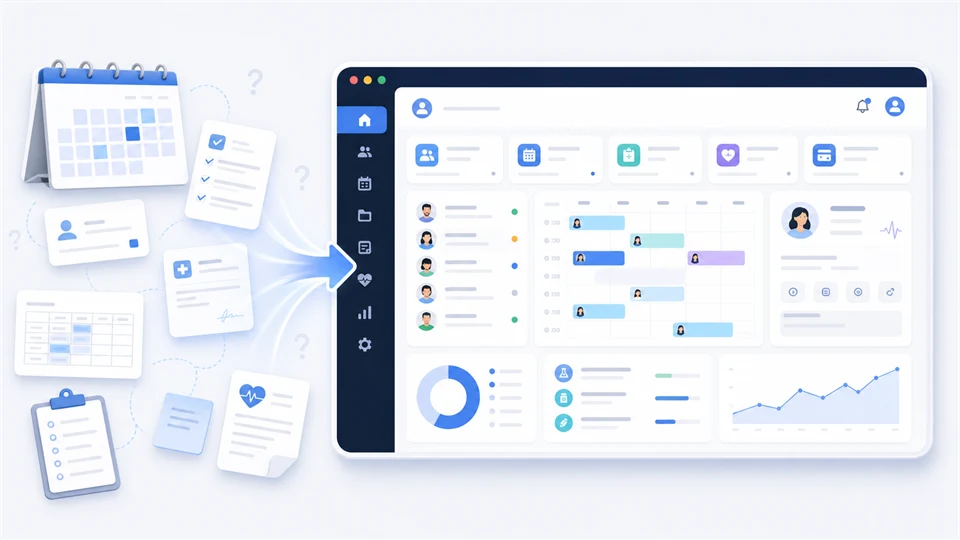
It is for clinics and healthcare operators that need a connected operations platform for onboarding, appointments, patients, pharmacy, billing, communications, and daily administration.
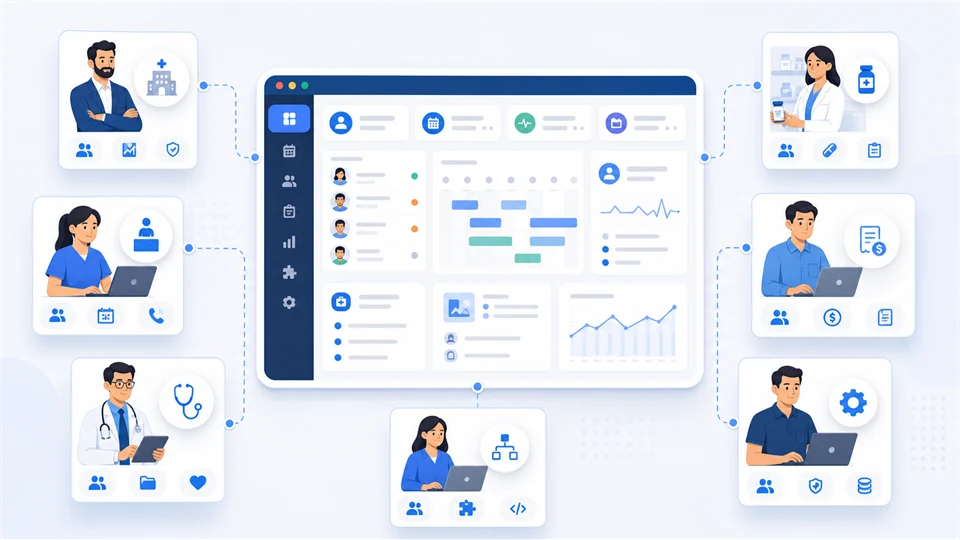
Clinic owners, healthcare operators, reception teams, providers, pharmacy staff, billing teams, platform admins, and agencies building clinic SaaS products can use Operix.

Clinics publish plans, onboard owners, switch clinics, monitor platform health, schedule appointments, manage patients, handle pharmacy and billing work, send communications, and review readiness.
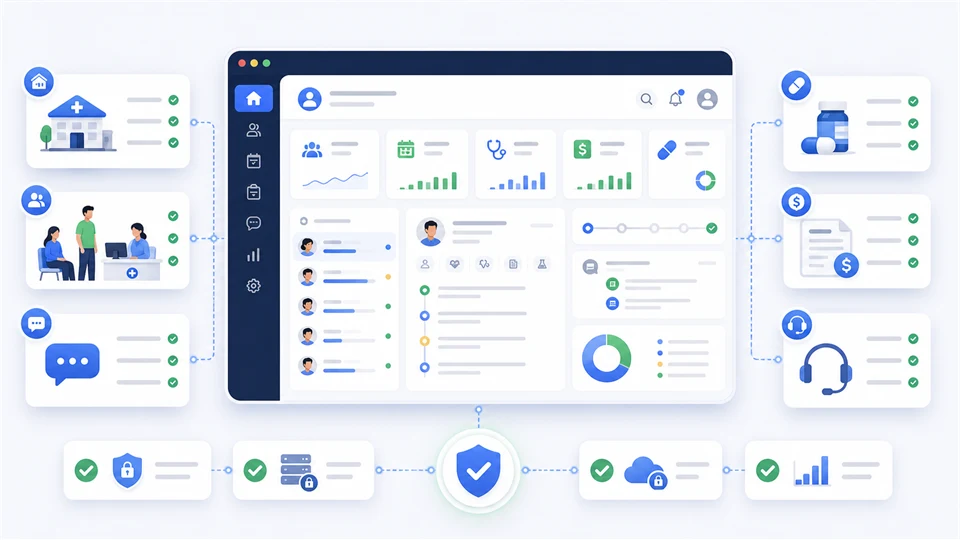
Use Operix when clinic onboarding, patient flow, appointments, pharmacy, billing, communications, tenant dashboards, and readiness checks need one Laravel platform.
A documentation-guided view of the real workflow, evaluation checks, launch options, and buyer evidence behind this project.
A buyer can inspect the plan catalog, sign-up path, platform clinic switcher, readiness screens, tenant dashboard, appointment worklist, patient records, pharmacy, billing, and communications before choosing a license.
Review how the platform handles memberships, clinic selection, and multi-clinic access before loading tenant data.
Inspect central schema, self-serve, provider, evidence, smoke status, and clinic readiness before trusting a launch.
Open the clinic command center and inspect readiness, operations pressure, communications, plan state, and next actions.
Before: The clinic wants one system for plan access, appointments, patients, pharmacy, billing, and communications.
With Operix: Review plan catalog, signup, login, tenant dashboard, appointment worklist, patient directory, pharmacy, and billing screens.
Result: The owner can decide whether Operix covers the daily operating model before buying.
Before: An agency needs reusable clinic software with clear setup, demo, and launch-readiness proof.
With Operix: Inspect platform health, clinic switcher, documentation, demo credentials, and setup paths.
Result: The agency can choose the right license tier and request setup help only when needed.
Before: Clinic workflows are split between reception, care, pharmacy, billing, and follow-up tools.
With Operix: Use dashboard, scorecard, appointments, patients, billing, pharmacy, communications, and plan limits screens as the evaluation path.
Result: The manager can validate operational coverage without relying on generic feature claims.
The buyer needs to see plan choice, trial language, and owner signup before trusting the app as SaaS-ready.
Operix shows a public plan catalog, signup, login, and clinic launch path before tenant work begins.
The commercial story is reviewable before the buyer opens private clinic screens.The clinic has appointments, patients, pharmacy issues, billing follow-up, and communications spread across tools.
The dashboard and module screens bring readiness, appointment work, patient records, pharmacy, billing, and communication status into one flow.
The buyer can judge operational fit from visible screens instead of a feature list.The agency needs to know whether the app can be installed, seeded, documented, and handed off safely.
Platform health, tenant dashboard, docs, visible demo credentials, and proof report checks give a launch review path.
The license decision is based on setup risk and observed workflow, not assumptions.Operix is a strong fit when a clinic needs public plans, clinic provisioning, appointments, patient records, pharmacy, billing, communications, and readiness checks in one Laravel-owned workspace.
PHP 8.2+, Laravel 12, database, queue worker, scheduler, storage, mail, and required extensions should be available before production use.
Review plans, signup, login, clinic switcher, platform health, tenant dashboard, appointments, patients, pharmacy, billing, and communications before checkout.
Use demo@careaxis.test with Demo@12345 and read the documentation before choosing a license tier.
Choose Single App, Business 2 Apps, or Agency Unlimited based on production installs, staging needs, and client handoff scope.
Use the documentation, requirements, visible demo credentials, and readiness screens to plan installation.
Ask Ovion to scope hosting setup, environment checks, demo import, queue/mail checks, and launch handoff.
Send compatibility, license, clinic workflow, and setup questions before checkout if the proof report leaves uncertainty.
Buyer-safe demo credentials are listed without exposing hidden operator accounts.
19 current screens cover platform, tenant, operations, pharmacy, billing, and communications flows.
Platform health and tenant dashboard screens expose launch readiness, queue, provider, and plan state.
Six months of support is included with the listed license tiers.
Review the key screens, then open any preview at full size.
Operix gives clinics one Laravel SaaS workspace for public plans, owner signup, clinic switching, platform health, appointments, patients, pharmacy, billing, communications, and readiness checks.
Clinic command center with readiness cards, module status, operational pressure, billing posture, and next actions.
Platform-level clinic membership, switching, and provisioning visibility for multi-clinic operations.
Readiness matrix for provisioned clinics, central schema state, self-serve flow, provider status, evidence, and smoke checks.
Daily appointment queue, patient follow-up, and front-desk care operations screen.
Patient records and clinic directory workflow for operational staff.
Invoice review, billing workflow, and clinic payment context in one tenant workspace.
Product screen used for marketplace evaluation.
Product screen used for marketplace evaluation.
Product screen used for marketplace evaluation.
Product screen used for marketplace evaluation.
Product screen used for marketplace evaluation.
Product screen used for marketplace evaluation.
Product screen used for marketplace evaluation.
Product screen used for marketplace evaluation.
Product screen used for marketplace evaluation.
Product screen used for marketplace evaluation.
Product screen used for marketplace evaluation.
Product screen used for marketplace evaluation.
Product screen used for marketplace evaluation.
Operix is priced as a clinic operations SaaS platform, not a simple scheduler: plans, signup, clinic switching, tenant dashboard, appointments, patients, pharmacy, billing, communications, platform health, and readiness checks are part of the solution.
One clinic operator launching a full clinic operations workspace.
Covers one live Operix deployment with public plans, signup, clinic workspace, appointments, patients, pharmacy, billing, communications, and readiness. USD 179 Recommended Business 2 Apps License 2 live apps / 6 staging/dev appsTwo clinics, two brands, or an agency delivering clinic SaaS to a client.
Adds a second live clinic platform deployment for multi-clinic rollout, client handoff, or production plus proof use. USD 299 License tier Agency Unlimited License Unlimited live apps / Unlimited staging/dev appsAgencies or healthcare operators deploying clinic platforms repeatedly.
Fits repeat clinic SaaS implementations where public plans, tenancy, appointments, patients, pharmacy, billing, and readiness recur. USD 599Review the main operating areas a buyer should understand before opening the demo or choosing a license.
Start from public plans, signup, login, and owner onboarding before the clinic workspace opens.
Manage clinic switching, provisioning, platform health, commercial status, and operations readiness from central screens.
Give operators a tenant dashboard with readiness, backlog, communications, plan status, and pressure signals.
Run appointments, calendar work, patient directory, and care follow-up from one clinic workspace.
Keep medicines, invoices, plan limits, collections, and billing posture visible to clinic staff.
Review communications hub, templates, staff draft workflows, run logs, and settings from buyer-visible screens.
Open the hosted demo, use shared credentials when provided, and review the documentation for setup details.
Digital purchases are reviewed case by case when the product is not as described or cannot be accessed.
6 months of setup and product support are included with this license.
Manual code review and compatibility checks are tracked before products are promoted.
Initial Operix marketplace release with public plans, owner signup, visible demo credentials, clinic switching, platform health, tenant dashboard, appointments, patients, pharmacy, billing, communications, docs, screenshots, and launch-readiness positioning.
लॉग इन with a buyer account to leave a verified purchase review.