SupportHub
SupportHub expands into CX, Customer 360, live chat, APIs, and tenant customer operations; TicketPro stays focused on the support ticket lifecycle.
Customer support intake, ticket queues, SLA risk, approvals, evidence, reports, billing, and operations readiness in one Laravel support desk.
TicketPro helps support teams collect customer requests, manage tickets, track SLA risk, handle approvals, and close issues with a clear support record.
TicketPro is the focused support desk for teams that need a dependable ticket operation. It covers public ticket intake, requester portal access, agent queues, SLA risk, routing, approvals, case evidence, consultations, contracts, teams, automation, playbooks, knowledge, reports, and production checks without forcing buyers into a larger customer-experience suite.
TicketPro is the right fit when the buyer needs public intake, requester tracking, agent queues, SLA risk, routing, approvals, evidence, consultations, contracts, playbooks, reports, and security checks around each support case.
SupportHub expands into CX, Customer 360, live chat, APIs, and tenant customer operations; TicketPro stays focused on the support ticket lifecycle.
OvionDesk centers on AI support, widget chat, citations, confidence, and handoff; TicketPro centers on structured helpdesk accountability.
TicketPro adds SLA rules, evidence, approvals, reports, contracts, teams, and operational checks around the inbox.
Choose a feature to see why it matters, what to inspect in the demo, and how it supports the buying decision.
Customers can submit support requests through public support flows with the right request context.
This matters because public ticket intake is part of the working TicketPro workflow, not just a label on a sales page. Buyers can see how it connects to ownership, records, follow-up, permissions, and reporting inside the same product.
In the demo, inspect Public support form, Requester portal, Agent ticket workspace. Confirm the screens show real setup, records, status, and operating context instead of a static placeholder.
This is a strong buying signal when your team needs public ticket intake handled in the same Laravel workspace as the rest of TicketPro, with less manual reconciliation after the demo.
Requesters can track tickets, replies, status, and support history without relying only on email.
This matters because requester portal is part of the working TicketPro workflow, not just a label on a sales page. Buyers can see how it connects to ownership, records, follow-up, permissions, and reporting inside the same product.
In the demo, inspect SLA policies, Routing rules, Closed-edit approvals. Confirm the screens show real setup, records, status, and operating context instead of a static placeholder.
This is a strong buying signal when your team needs requester portal handled in the same Laravel workspace as the rest of TicketPro, with less manual reconciliation after the demo.
Agents work queues, ticket details, replies, notes, files, ownership, history, and follow-ups.
This matters because agent workspace is part of the working TicketPro workflow, not just a label on a sales page. Buyers can see how it connects to ownership, records, follow-up, permissions, and reporting inside the same product.
In the demo, inspect Evidence tags, Audit events, Consultation handoff. Confirm the screens show real setup, records, status, and operating context instead of a static placeholder.
This is a strong buying signal when your team needs agent workspace handled in the same Laravel workspace as the rest of TicketPro, with less manual reconciliation after the demo.
Business hours, policies, warnings, escalations, and dashboards keep deadline risk visible.
This matters because sla risk control is part of the working TicketPro workflow, not just a label on a sales page. Buyers can see how it connects to ownership, records, follow-up, permissions, and reporting inside the same product.
In the demo, inspect Support teams, Automation playbooks, PDF and Excel exports. Confirm the screens show real setup, records, status, and operating context instead of a static placeholder.
This is a strong buying signal when your team needs sla risk control handled in the same Laravel workspace as the rest of TicketPro, with less manual reconciliation after the demo.
Teams, departments, skills, workload, categories, and priorities send tickets to the right owners.
This matters because routing rules is part of the working TicketPro workflow, not just a label on a sales page. Buyers can see how it connects to ownership, records, follow-up, permissions, and reporting inside the same product.
In the demo, inspect the setup screen, the working records, the permission path, and the report or history view connected to this feature.
This is a strong buying signal when your team needs routing rules handled in the same Laravel workspace as the rest of TicketPro, with less manual reconciliation after the demo.
Sensitive actions, finalized-ticket edits, and support decisions can go through approval checks.
This matters because approval workflow is part of the working TicketPro workflow, not just a label on a sales page. Buyers can see how it connects to ownership, records, follow-up, permissions, and reporting inside the same product.
In the demo, inspect the setup screen, the working records, the permission path, and the report or history view connected to this feature.
This is a strong buying signal when your team needs approval workflow handled in the same Laravel workspace as the rest of TicketPro, with less manual reconciliation after the demo.
Case files, attachments, metadata, permissions, redaction state, and audits keep proof with the ticket.
This matters because evidence files is part of the working TicketPro workflow, not just a label on a sales page. Buyers can see how it connects to ownership, records, follow-up, permissions, and reporting inside the same product.
In the demo, inspect the setup screen, the working records, the permission path, and the report or history view connected to this feature.
This is a strong buying signal when your team needs evidence files handled in the same Laravel workspace as the rest of TicketPro, with less manual reconciliation after the demo.
Specialist consultation handoff and review flows support deeper service operations.
This matters because consultations is part of the working TicketPro workflow, not just a label on a sales page. Buyers can see how it connects to ownership, records, follow-up, permissions, and reporting inside the same product.
In the demo, inspect the setup screen, the working records, the permission path, and the report or history view connected to this feature.
This is a strong buying signal when your team needs consultations handled in the same Laravel workspace as the rest of TicketPro, with less manual reconciliation after the demo.
Event rules, aging rules, evidence requirements, knowledge, and playbooks standardize support.
This matters because playbooks and automation is part of the working TicketPro workflow, not just a label on a sales page. Buyers can see how it connects to ownership, records, follow-up, permissions, and reporting inside the same product.
In the demo, inspect the setup screen, the working records, the permission path, and the report or history view connected to this feature.
This is a strong buying signal when your team needs playbooks and automation handled in the same Laravel workspace as the rest of TicketPro, with less manual reconciliation after the demo.
Dashboards, exports, delivery diagnostics, identity controls, and readiness checks support production use.
This matters because reports and security checks is part of the working TicketPro workflow, not just a label on a sales page. Buyers can see how it connects to ownership, records, follow-up, permissions, and reporting inside the same product.
In the demo, inspect the setup screen, the working records, the permission path, and the report or history view connected to this feature.
This is a strong buying signal when your team needs reports and security checks handled in the same Laravel workspace as the rest of TicketPro, with less manual reconciliation after the demo.
A simple operating path so buyers can understand what happens after installation.
Configure support teams, categories, business hours, SLA policies, and approval rules.
Publish support intake and requester portal flows for customers.
Triage tickets from queues, assign owners, reply, add notes, and attach evidence.
Escalate SLA risks, run approvals, consultations, playbooks, and knowledge workflows.
Review reports, exports, dashboards, contracts, time entries, and operations checks.
Use these compact checks before moving to the live demo, docs, or pricing tab.
Run public intake, requester replies, agent triage, SLA review, and resolution tracking.
Assign incidents, collect notes and files, track approvals, and report team performance.
Deploy a focused support desk with portals, teams, contracts, playbooks, reports, and security checks.
Documents the main support workspace and ticket operating screens.
Open docsCovers event rules, aging rules, playbooks, evidence requirements, and support process control.
Open docsExplains evidence files, permissions, metadata, redaction, and audit behavior.
Open docsTicketPro can describe AI as copilot-style support assistance around tickets, knowledge, trust review, drafts, and operations. It should not claim autonomous resolution as the default behavior.
TicketPro is a Laravel helpdesk product that can be deployed as a focused support desk with departments, teams, categories, SLAs, requester portal access, contracts, reports, and operational checks.
Quick answers for fit, users, workflow, and the buying decision after the main proof sections.
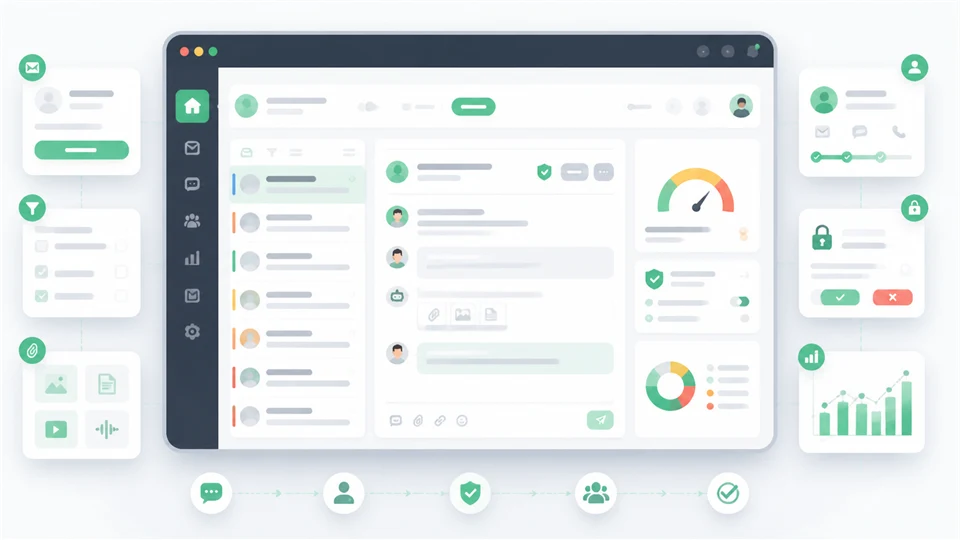
TicketPro collects support requests, organizes tickets, gives agents a full case workspace, tracks SLA risk, handles routing and approvals, stores evidence, supports consultations, and turns support activity into reports.
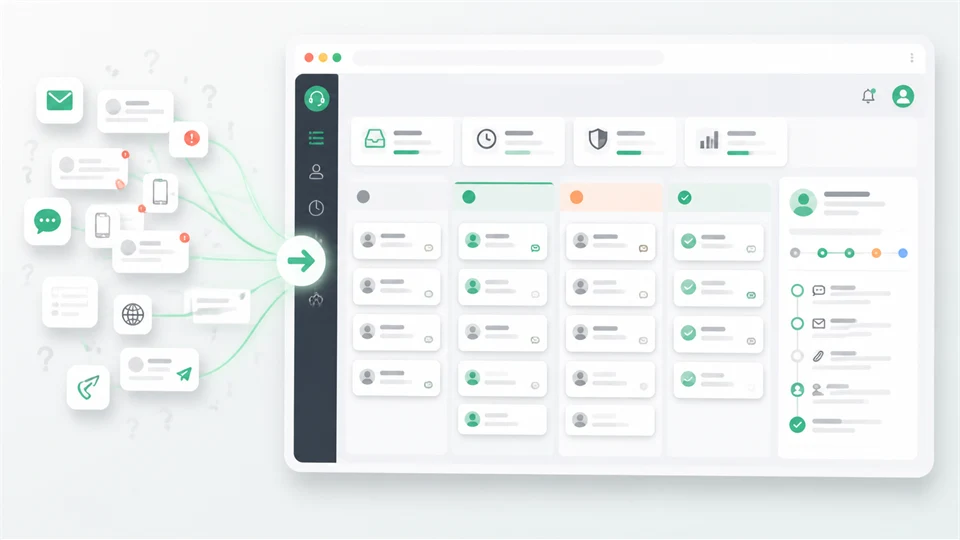
It is for structured helpdesk operations where every request needs an owner, status, SLA context, conversation history, evidence, internal notes, and resolution trail.
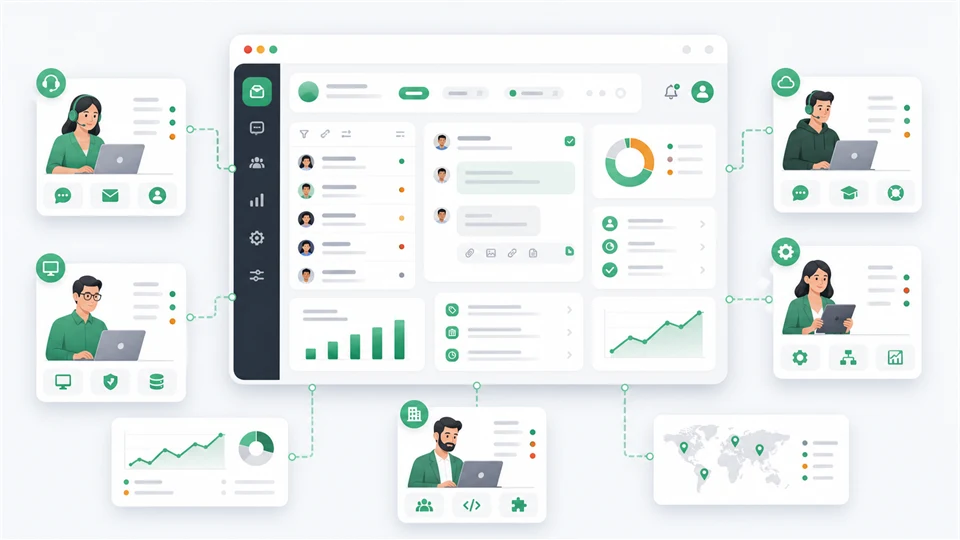
Support teams, internal IT desks, SaaS teams, service operations teams, agencies, and organizations that need ticket accountability without a full CX platform.
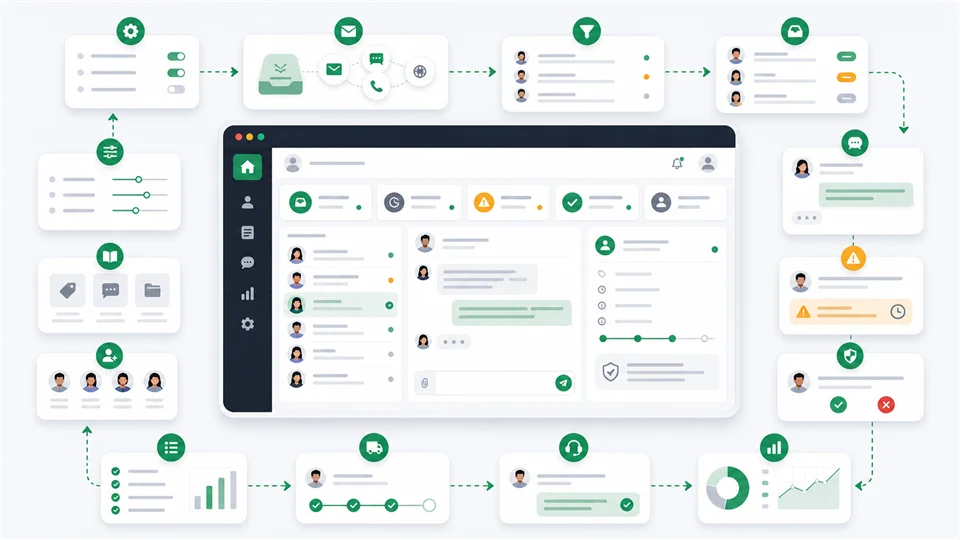
Teams configure categories, teams, SLAs, business hours, approval rules, and portals; intake tickets; triage queues; reply to customers; escalate risks; collect evidence; and review reports.
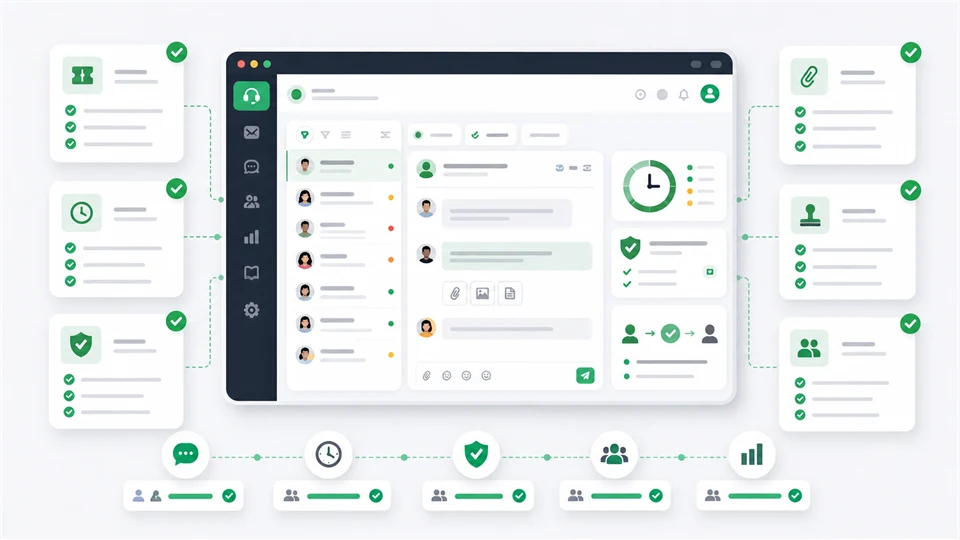
Use TicketPro when ticketing, SLA control, evidence, approvals, requester portal access, support reporting, and operational accountability are the main need.
A documentation-guided view of the real workflow, evaluation checks, launch options, and buyer evidence behind this project.
A buyer can inspect how a support team receives a request, assigns ownership, protects SLA promises, gathers evidence, talks to the customer, closes the case, and reviews reporting before purchasing.
Start with the full support operations map: tickets, teams, customers, reporting, knowledge, security, and launch readiness.
Inspect the day-to-day ticket page where support work actually happens: conversation, owner, status, notes, files, SLA, and history.
Use the demo as a test drive instead of a generic preview. Follow roles and record what was checked.
Before production, review environment, mail, queue, scheduler, storage, backups, diagnostics, and acceptance checks.
Before: Support starts in email and quickly loses ownership, status, and SLA context.
With TicketPro: Move public intake, requester replies, staff queue, internal notes, files, and reports into one support desk.
Result: The founder can see what is waiting, who owns it, and which requests are at risk.
Before: Client issues arrive across channels and no one has a clean case history.
With TicketPro: Use organizations, contacts, contracts, support teams, ticket history, time entries, and reports.
Result: The agency gets a support record that can be reviewed with the client instead of reconstructed later.
Before: Internal requests need evidence, approvals, sensitive access control, and deployment checks.
With TicketPro: Route requests through queues, approvals, evidence files, audit history, and go-live readiness checks.
Result: Support work becomes traceable and safer to operate in production.
A customer sends a billing issue through email and the team is not sure who owns it.
TicketPro receives the request, routes it, records replies and internal notes, tracks SLA risk, attaches evidence, and keeps the requester updated.
The team can explain what happened, who handled it, and how long it took without searching separate inboxes.An agency takes over support for a client but past requests, files, and priorities are scattered.
The agency sets organization context, support tier, contacts, queues, team owners, and reporting snapshots.
Client support becomes reviewable work instead of informal messages and memory.The buyer likes the feature list but still needs to know whether the app can run on their hosting stack.
They review requirements, docs, screenshots, demo roles, go-live readiness, and proof report before purchase.
The decision is based on observed workflow and setup checks, not just marketing copy.TicketPro fits teams that need a complete support desk with public intake, customer tracking, team queues, SLA governance, evidence, reporting, and launch readiness in one Laravel app.
PHP 8.2+, Laravel 12, queue worker, scheduler, mail, storage, and MySQL/MariaDB should be available before purchase.
Review intake, queue ownership, requester replies, SLA state, files, and reporting before checkout.
Check setup requirements, version 1.0.0, update notes, and what is included in the package.
Choose a tier based on production and staging use, support window, and whether the buyer needs setup help.
Use the docs, requirements, installer, seed data, and post-install verification screens.
Ask Ovion to scope hosting setup, environment checks, demo import, queue/mail checks, and launch handoff.
Send compatibility, license, and workflow questions before checkout if the proof report leaves uncertainty.
PHP 8.2+, Laravel 12, database, queue, scheduler, mail, storage, and extension requirements are listed before checkout.
Admin, staff, customer, and mobile demo paths are available through the Live Demo Hub.
Six months of support is included with the listed license tiers.
Version, last updated date, changelog, and release notes are visible on public pages.
Review the key screens, then open any preview at full size.
TicketPro brings tickets, teams, customers, SLAs, approvals, evidence, automation, reporting, billing, and platform operations into one production-ready support desk.
Polished CodeCanyon overview panel for the complete TicketPro support operations platform.
Ticket triage, suggested replies, translation, summaries, and human review controls.
Ticket conversation, status, assignee, priority, SLA, and evidence workflow preview.
Role-safe demo walkthrough panel for buyers testing TicketPro before checkout.
Production readiness, deployment, diagnostics, and launch acceptance checks.
Knowledge base quality, drafts, review queue, and search feedback preview.
Audit, review, provider reliability, risk, and executive reporting panel.
Product screen used for marketplace evaluation.
Product screen used for marketplace evaluation.
Product screen used for marketplace evaluation.
Product screen used for marketplace evaluation.
Product screen used for marketplace evaluation.
Product screen used for marketplace evaluation.
Product screen used for marketplace evaluation.
Product screen used for marketplace evaluation.
Product screen used for marketplace evaluation.
Product screen used for marketplace evaluation.
Product screen used for marketplace evaluation.
Product screen used for marketplace evaluation.
Product screen used for marketplace evaluation.
Product screen used for marketplace evaluation.
Product screen used for marketplace evaluation.
Product screen used for marketplace evaluation.
Product screen used for marketplace evaluation.
Product screen used for marketplace evaluation.
Product screen used for marketplace evaluation.
Product screen used for marketplace evaluation.
TicketPro is priced as a structured support desk solution because it includes intake, requester portal, agent workspace, SLA risk, routing, approvals, evidence, playbooks, reports, and operations checks.
One support team replacing email or shared inbox support with accountable tickets.
Covers one live support desk with ticket intake, requester portal, agent queue, SLA control, approvals, evidence, and reporting. USD 119 Recommended Business 2 Apps License 2 live apps / 6 staging/dev appsTwo support desks, a client handoff, or a staged support operations rollout.
Adds a second live TicketPro deployment for separate teams, client delivery, or production plus handoff use. USD 199 License tier Agency Unlimited License Unlimited live apps / Unlimited staging/dev appsAgencies and service teams deploying focused helpdesks for multiple clients.
Fits repeat support desk launches where ticket accountability, SLA controls, evidence, and reports are the repeatable value. USD 379Review the main operating areas a buyer should understand before opening the demo or choosing a license.
Support customers can submit public tickets, log in to a requester portal, track status, reply, reopen cases, upload files, and submit feedback.
Agents and admins work from a full ticket detail page with context, conversations, notes, files, SLA state, automation, time, intelligence, and history.
TicketPro recommends owners, tracks SLA promises, respects business hours, and protects high-impact changes through approval workflows.
Attachments and recordings are organized into governed case files with permissions, metadata, audit logs, redaction state, and consultation handoff.
Customer accounts can define routing, governance, entitlements, contracts, support tiers, account owners, escalation contacts, and reusable support teams.
Automations react to events and aging rules while playbooks standardize repeatable support work.
The app includes public knowledge, status pages, incident updates, management reports, finance visibility, dashboards, exports, and scheduled delivery.
External systems connect through APIs and webhooks while identity, MFA, audit, tenant, and production-readiness controls protect the workspace.
A guided Acme Labs demo shows the full support lifecycle from admin setup through customer ticket intake, triage, investigation, approval, resolution, closure, feedback, reports, security, and operations readiness.
Open the hosted demo, use shared credentials when provided, and review the documentation for setup details.
Digital purchases are reviewed case by case when the product is not as described or cannot be accessed.
6 months of setup and product support are included with this license.
Manual code review and compatibility checks are tracked before products are promoted.
Initial TicketPro marketplace release with support portal, requester portal, ticket workspace, SLA, approvals, evidence files, video consultations, reports, integrations, security, operations, docs, screenshots, and demo positioning.
लॉग इन with a buyer account to leave a verified purchase review.